ForgeVideo v1.2.3 · Agent-first local video engine

ForgeVideo

Describe it. Render it. Ship it.

One brief in. One finished video out. Your agent writes the production; ForgeVideo validates, renders and verifies it on your machine.

$49one-time · Linux · every future release included
  • Portrait · landscape · square
  • H.264/AAC MP4
  • 0 model calls to render
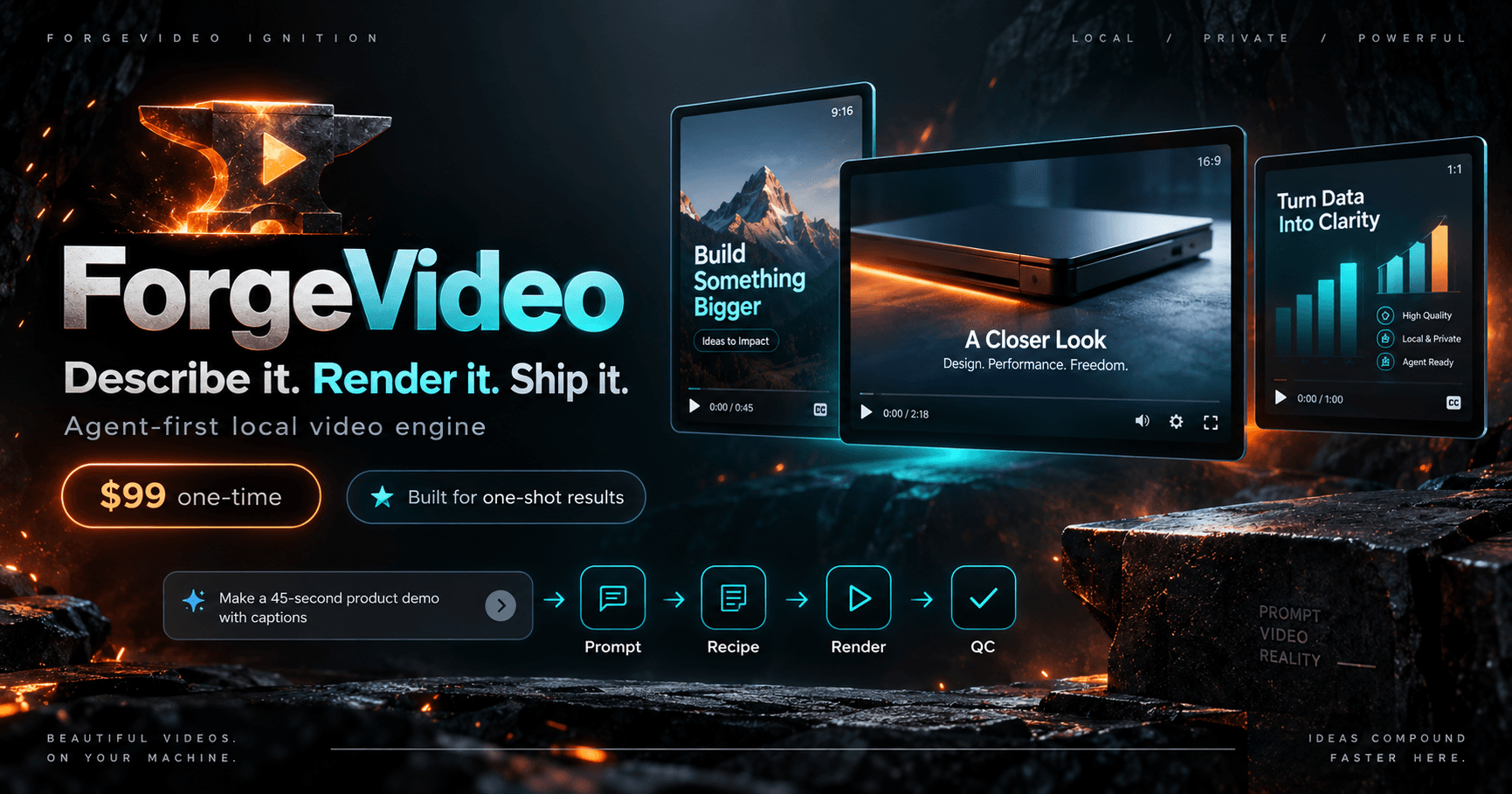
ForgeVideo Ignition: a forged anvil with an ember play mark beside the ForgeVideo wordmark, the line Describe it. Render it. Ship it., $49 one-time, a Prompt to Recipe to Render to QC flow, and portrait, landscape and square example videos
ForgeVideo Ignition

Made with ForgeVideo

Judge the output first.

Finished videos with the briefs and production records behind them.

An example product demo for Super Desktop, a real desktop app by gladimdim.

SUPER DESKTOP — product demo

The brief

“Make an amazing demo video matched to the flow of the music. Explain the features in big, beautiful text, make it fun and flashy, and finish with a subtle Greyforge Labs signature.”

The result

A full-song showcase of Super Desktop: animated feature sequences, faithful interface recreations and real product screenshots, timed to the music.

Web playback
1280×720 · 60 fps · 54 s
Original
1920×1080 · 60 fps
Production
Custom web motion graphics
Audio
Original soundtrack, unchanged
Launch trailer · 16:9 · rendered 2026-09-08

ZJX 1.29 REDLINE launch trailer

The brief

“Make a 35-second landscape launch trailer for ZJX 1.29. Music-led, no narration. Introduce ultrafast, four-worker packing and verification, deterministic output, operation receipts and 1.28 reader compatibility. Use the generated motion input and the original score, and end on ‘Ultrafast. Verified.’”

The result

Six timed scenes, SRT titles, the score under a limiter. 1,050 frames. The agent's build script made the motion input; ForgeVideo did timing, audio, titles, render and verify.

Format
1920×1080 · 30 fps · 35 s
Audio
Original score, −2 dB, limited
Scenes
6 timed · SRT titles
Receipt
QC passed · 0 model calls
Narrated explainer · 16:9 · burned-in captions · rendered 2026-09-12

Sley: the opening 75 seconds

The brief

“Cut the first 75 seconds of the Sley Introduction as a standalone explainer. Two scenes, split where the argument turns. Keep the narration as recorded, import the caption file and burn the captions in.”

The result

Two video scenes trimmed from a 12-minute master, one narration track, 18 caption cues drawn onto the frames. 2,247 frames, verified against the input hashes.

Format
1920×1080 · 30 fps · 75 s
Audio
Narration track, as recorded
Captions
18 cues from SRT, burned in
Receipt
QC passed · 0 model calls
Software walkthrough · 16:9 · voice + music · rendered 2026-09-08

Narrated ZJX GUI walkthrough

The brief

“Take the 11-second ZJX Archive screen recording, lay my voice-over on top starting just after the first frame, put the music bed underneath at a low level and duck it under the voice. Landscape, full-frame, no cuts.”

The result

One recording, one voice cue at 0.6 s, one music bed ducked to −24 dB. Three inputs hash-pinned at init. Nothing added.

Format
1920×1080 · 30 fps · 11 s
Audio
Narration + music, ducked −24 dB
Inputs
Recording · voice · music, hash-pinned
Receipt
QC passed · 0 model calls
Text and data demo · 9:16 · rendered 2026-09-08 · silent

The starter recipe, untouched

The brief

“Start a portrait demo from the bundled template: a title card, a short terminal walkthrough, and a bar chart from three data points. Do not restyle anything.”

The result

Three native scenes, no external media, eleven seconds. The floor a first render starts from.

Format
1080×1920 · 30 fps · 11 s
Scenes
Title · terminal · bar chart
Inputs
Recipe only, synthetic data
Receipt
QC passed · 0 model calls

5 finished videos. Zero timelines opened.

Get ForgeVideo — $49

Full-length films

Full songs, start to finish.

Three- and six-minute music videos, not trailers. Press play below or watch on X ↗.

Music video · 16:9 · 3:30 · posted 2026-09-14 · Watch on X ↗

REDLINE — the full music video

The brief

“Make a music video for ZJX with cool cars, hot girls and 80's highway music.”

The result

76 shots, 5,030 frames, verified against every pinned input. The audio is the approved master, encoded direct with no remastering. Accepted as the final copy at 9/10.

Rendered with ForgeVideo Studio from a pinned recipe; stock footage per the project's credits record.

Format
1920×1080 · 24 fps · 209.6 s
Shots
76, audio-aligned
Audio
Approved master, direct encode
Receipt
Decoded-delivery verifier passed
Music video · 16:9 · 5:53 · posted 2026-09-16 · Watch on X ↗

BLACK PRISM — the full music video

The brief

“A single black geometric object journeys through an indifferent universe. Space. Time. Mathematics. Compression. Build the universe around the song.”

The result

8,476 frames over the full 353-second recording. The closing meteors the operator rejected were removed by changing one visibility parameter; everything else is the accepted V5. Accepted as the final copy at 9/10.

Geometry in Blender, custom GPU renderer, assembled with the ForgeVideo Studio shot-reels helper; the AAC track is a bit-exact packet copy of the accepted mix.

Format
1920×1080 · 24 fps · 353.2 s
Frames
8,476, state-checked per shot
Audio
Accepted mix, packet-identical
Status
Accepted final · 9/10

Built for AI agents

Tell your agent what video you want.

The agent writes the recipe. ForgeVideo renders it. You review a video, not a timeline.

  1. Prompt

    You say what the video is.

  2. Recipe

    Your agent writes the JSON production: scenes, media, timing, audio, captions.

  3. Validate

    Schema, media, timing, text fit, layout. Before a single frame is encoded.

  4. Render

    Local FFmpeg. Same inputs, same video.

  5. QC

    Frame, audio and duration checks. A receipt with every hash.

  6. MP4

    H.264/AAC. Portrait, landscape or square.

A real request

“Make a 45-second landscape demo of this feature. Use recording.mp4, start at 12 seconds, explain these three steps, add captions and narration, and finish with the product name.”

forgevideo studio init demo.json --video recording.mp4 --start 12 --format landscape --narration voice.wav
forgevideo studio validate demo.json --preset demo
forgevideo studio render demo.json --output demo-render --preset demo
forgevideo studio verify demo-render --inputs

Works with the agent you already use.

A plain CLI. JSON in, JSON out, documented exit codes. That is the whole integration surface.

  • Claude Code
  • Codex
  • Gemini CLI
  • OpenCode
  • and similar CLI agents

Any agent that can run a command works. Your agent's provider bills its own usage.

One-shot quality

Built for a good first render.

AI decides what the video says. ForgeVideo makes sure it renders correctly.

The agent never gets a blank editing environment. It gets a constrained production grammar, and everything it writes is checked before and after the render.

Text fits
Titles, terminal lines and captions are measured against the format first. Overflow fails validation.
Timing adds up
Scenes, narration, music, captions and markers share one frame timeline, quantized to whole frames.
Media is checked
Recordings and audio are probed and hashed at init. A trim past the end of a clip, or a source file that changed underneath you, stops the render.
The grammar is fixed
Scene types, layouts, fits and presets are constrained. The agent chooses inside a system that already renders clean.
Every render leaves a receipt
Frame counts, QC, the FFmpeg command, input and output hashes. verify rechecks it later.
Repeatable
Fixed toolchain, fixed inputs, identical video.

What it makes

Demos, explainers and shorts, from files you already have.

Product and software demos

  • Screen recordings and screenshots
  • Local video with trims and playback speed
  • Terminal demonstrations (typeset, never executed)
  • Progressive step walkthroughs
  • Title cards and crossfades

Data and explainers

  • Animated bar charts
  • Animated line charts
  • CSV and JSON imports
  • Source attribution on screen
  • Row and file hashes for provenance

Audio and timing

  • Your existing narration
  • Background music with ducking
  • Authored captions (SRT in, SRT/WebVTT out)
  • Markers and shared frame timeline
  • Edge fades and limiting

Output

  • Portrait 9:16, landscape 16:9, square 1:1
  • Half-resolution preview renders
  • Full-resolution H.264/AAC MP4, platform-safe (no edit lists, keeps its audio on X)
  • Render receipt with input hashes
  • Independent bundle verification

Local rendering

Your video. Your machine.

FFmpeg on your own Linux box. Inputs stay on disk. The output is an ordinary MP4 in a folder you chose.

  • No render queue. No subscription, no upload step.
  • 0 model calls. Rendering a recipe touches no provider. The receipt records the count.
  • Any agent. Author with whichever one you already pay for. That bill is yours; ForgeVideo adds nothing to it.
  • Plain files. JSON recipes. SRT/WebVTT captions. JSON receipts. H.264/AAC MP4.

Always current

Buy once. Keep the latest.

Every release, with source. Your license key recovers the current build from Greyforge Labs any time. An in-app update check is coming.

We use it ourselves. The trailers above are how Greyforge ships its own product video. We build it because we rely on it, so it keeps getting better.

Who it is for

You should not have to become a video editor to make a good product video.

Work in what you already know: language, files, code, data, agents.

  • Developers who need a demo for every release.
  • Founders shipping product clips from their own hardware.
  • Technical marketers and maintainers who already live in files and data.
  • Anyone who would rather brief an agent than learn an editor.

Technical credibility

Built like software, not a prompt pack.

Versioned wheel. Checksums. Fresh-venv install, render and verify before every tag. The evidence lives in the release record; the summary is here.

Deterministic
Repeatable renders for a fixed toolchain and inputs, recorded in every receipt.
Verified
verify rechecks a bundle's hashes; --inputs rehashes the source media.
Qualified
Each release installs into a fresh venv, renders and verifies before it ships.
Tested
Source regression checks and isolated offline install/edit/render/verify passed on Linux; independent usability and visual-quality pilots are pending.

Requirements · current version

Check your setup.

Platform
Linux x86-64.
Runtime
Python 3.11+ in a virtual environment.
Encoder
FFmpeg and ffprobe on PATH with libx264 and AAC.
Fonts
DejaVu Sans and DejaVu Sans Mono at the distribution's standard TrueType paths.
Install
Verify SHA256SUMS, pip install the wheel into a venv. Uninstall leaves recipes and renders alone.

Linux / x64 · Verified 2026-09-27

What v1.2.3 handles

  • Studio v1 recipes: up to 120 scenes and five minutes, 12 to 60 fps, inputs up to 8K. Project v2 uses separate documented profiles.
  • Studio v1 keeps its house style; project v2 supports brand settings and persistent text branding.
  • Captions from your SRT files, burned in or exported as SRT and WebVTT.
  • Bar and line charts from CSV or JSON. Audio from your local files.
  • Use the CLI or local browser workbench. Optional integrations need their documented dependencies; cloud adapters remain live-unqualified.
First local demo, four commands
forgevideo studio init demo.json --format portrait
forgevideo studio validate demo.json --preset short-preview
forgevideo studio render demo.json --output demo-render --preset short-preview
forgevideo studio verify demo-render

Sample data and transcript. Terminal text is typeset, never executed, and existing output is never overwritten.

Release and update history ↗

ForgeVideo v1.2.3

$49Once. No subscription.

  • ForgeVideo v1.2 local renderer, project CLI and browser workbench, source included
  • Studio: init, probe, chart, validate, timeline, presets, preview, render, verify, captions
  • Project revisions, Director planning and procedural production, plus Studio v2 branding
  • Six export presets: portrait, landscape and square, each with a preview variant
  • Starter and walkthrough templates plus bundled synthetic chart data
  • Studio, media and audio, timeline and captions, and chart documentation
  • Commercial use of the videos you render, under the purchaser license
  • Every release Greyforge ships, recovered any time with your license key

One purchase includes every ForgeVideo release Greyforge ships; your license key recovers the latest build at any time. A Chronicle purchase does not include ForgeVideo. Your agent's provider costs, if any, are yours.

More context